

IT support.
Without the
chasing.
A question, a request, a way forward. Find answers with Atlas and keep your IT support in one place.
Every request.
A clear way
forward.
Log an issue once. See who’s working on it, follow the conversation, and confirm the fix in one place.
One reference. A named owner. A visible next step.
Raise a requestHow a request moves.
Describe the problem once. From there, the desk shows who has it, what they're doing and what happens next.
Step 1 of 3
You raise it.
Say what's wrong and how it's affecting your work. You don't pick a priority: IT sets it when they triage your request.
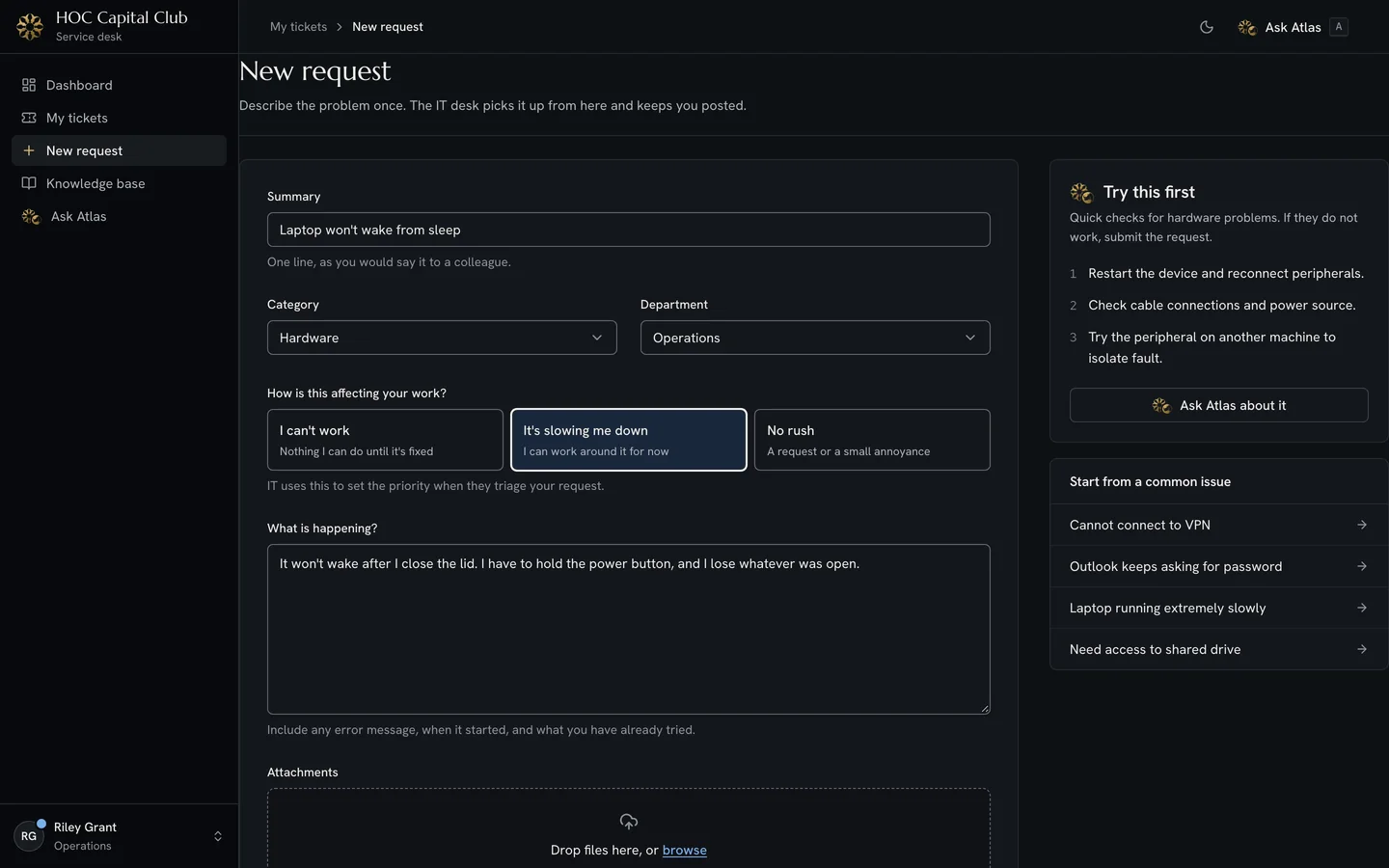
Step 2 of 3
IT picks it up.
Your request joins one queue, ordered by risk. A technician takes it and sets the priority, which sets the resolution target. The clock pauses only while IT is waiting on you.
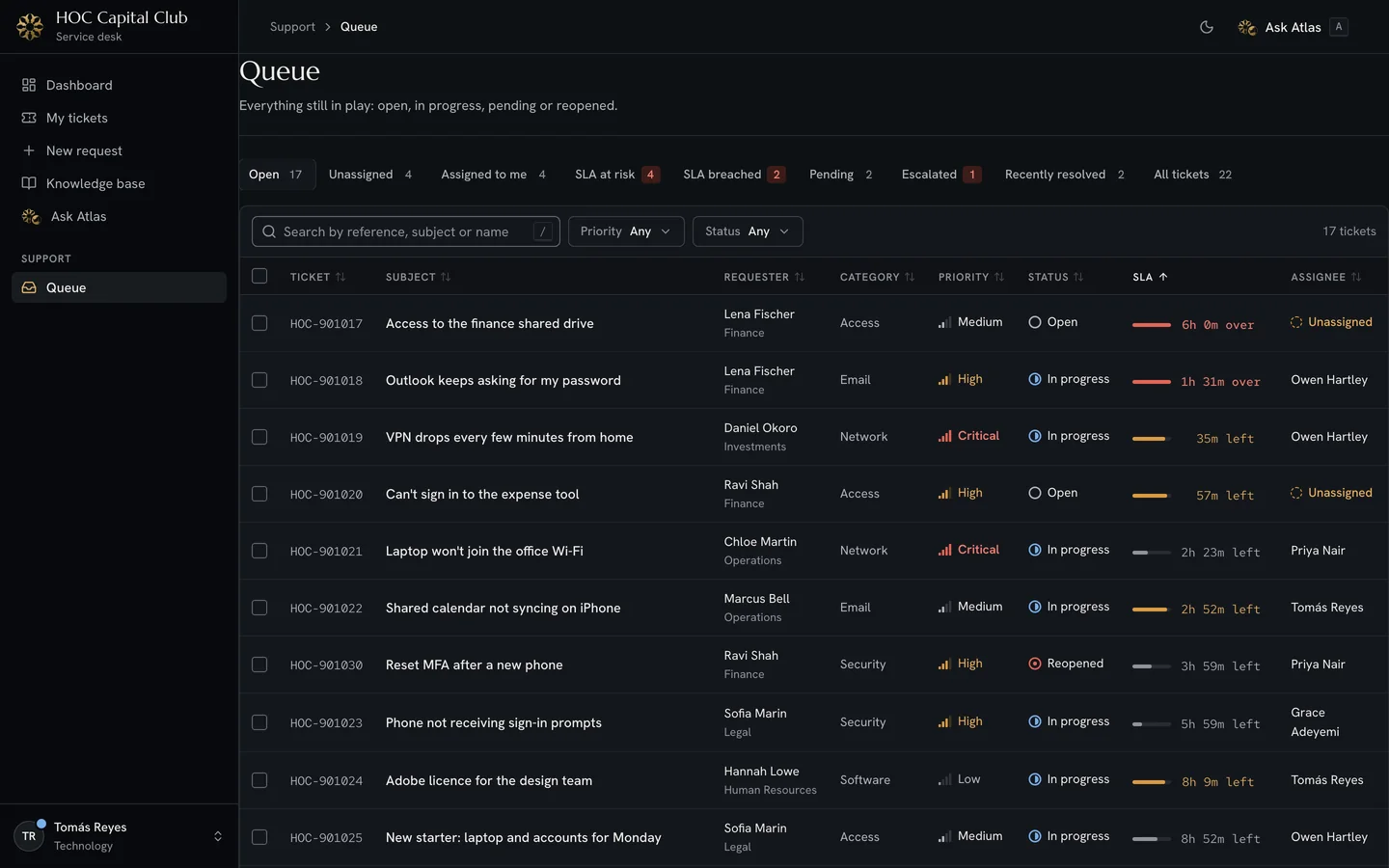
Step 3 of 3
You follow it to the fix.
Replies and status changes reach your ticket as they happen. When it's resolved, you confirm the fix or reopen it.
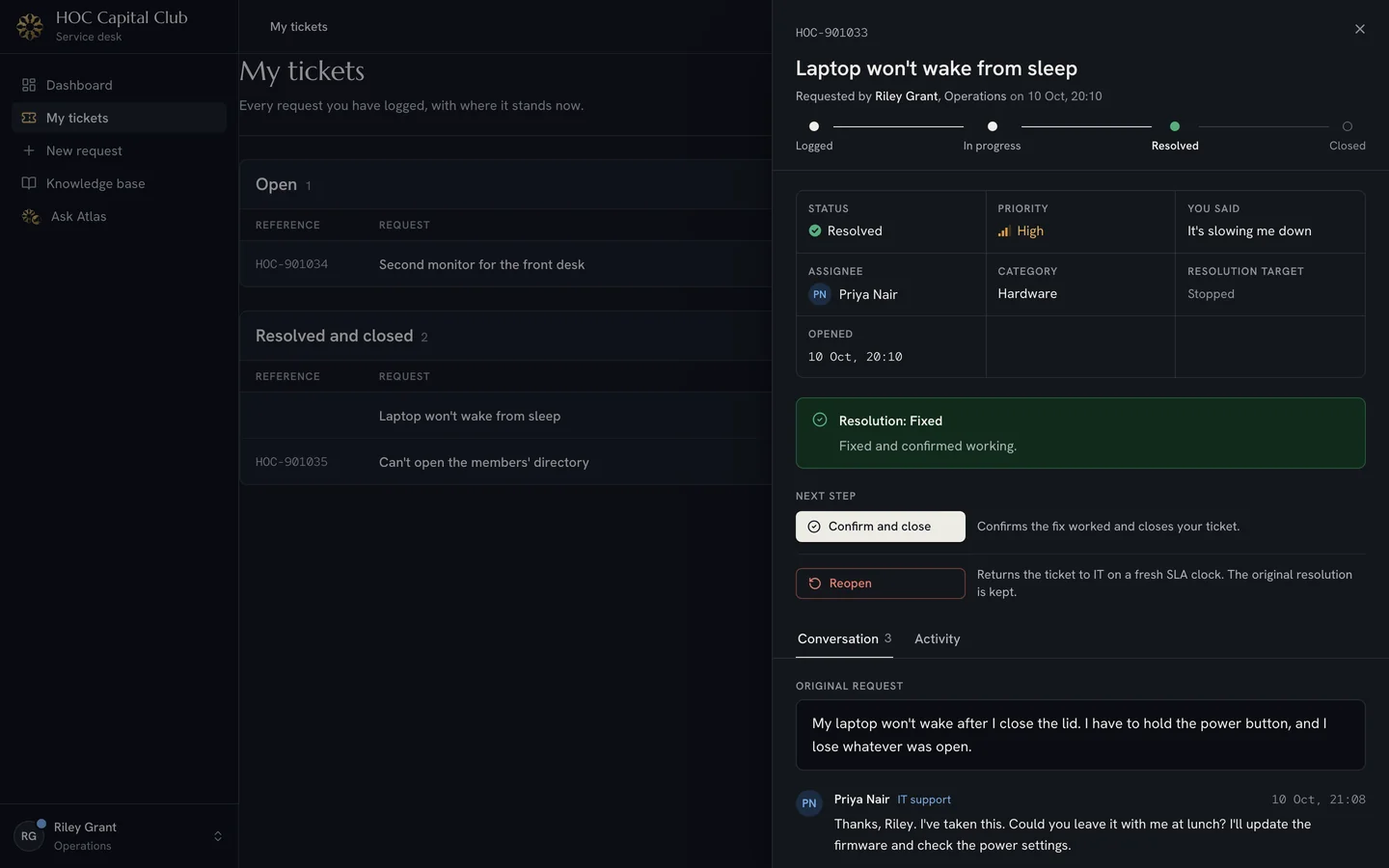


The desk's own screens, shown with sample data.
One desk, a view for each of you.
Everyone signs in to the same desk and sees what matters to them first. Each person arranges their own dashboard.

From a question
to a way forward.
Search the guides. Ask Atlas. Bring in the desk.
A little clarity.
A lightbulb
moment.
Meet Atlas. Ask in your own words, find an IT guide, or check a ticket without retracing your steps.
Sign in to ask AtlasYour work.
Connected.
Requests, shared knowledge, and the people who can help. One service desk for HOC Capital Club.
Keep the details together. Keep work moving.
Meet your
support team.
Good support starts with people. Meet the team behind your service desk.

A little help.
A clearer day.
Your service desk is ready when you need it.
Sign inUse your company account.